Story to video, finished in Google Flow.
Write one idea. Flowvdo plans the characters, places and every scene with your own AI key, generates each scene in your own Google Flow account with the same characters, and hands you one finished video.
Flowvdo uses your own Google Flow account and credits, and your own AI provider key. Not affiliated with Google.
- Story to video, defined
- A story-to-video workflow turns one written idea into a finished multi-scene video. It has four parts: a plan (characters, places and scenes), references that keep the cast looking the same, generating each scene in order, and joining the clips into one file. Flowvdo does all four, with Google Flow doing the generating.
Plan it. Keep it consistent. Finish it.
Google Flow makes beautiful clips of a few seconds each. A story needs the parts around them. Flowvdo adds those parts and runs them for you.
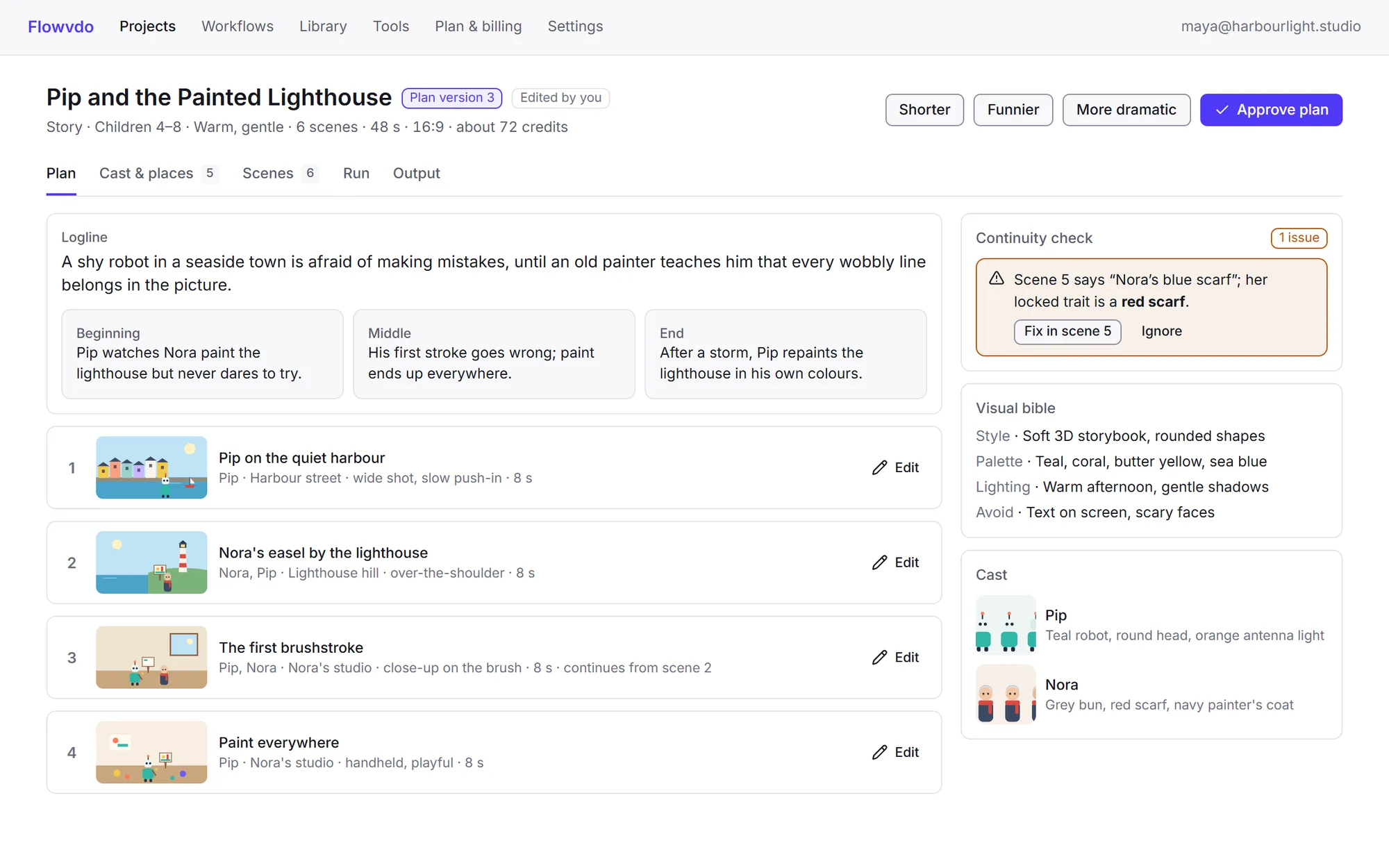
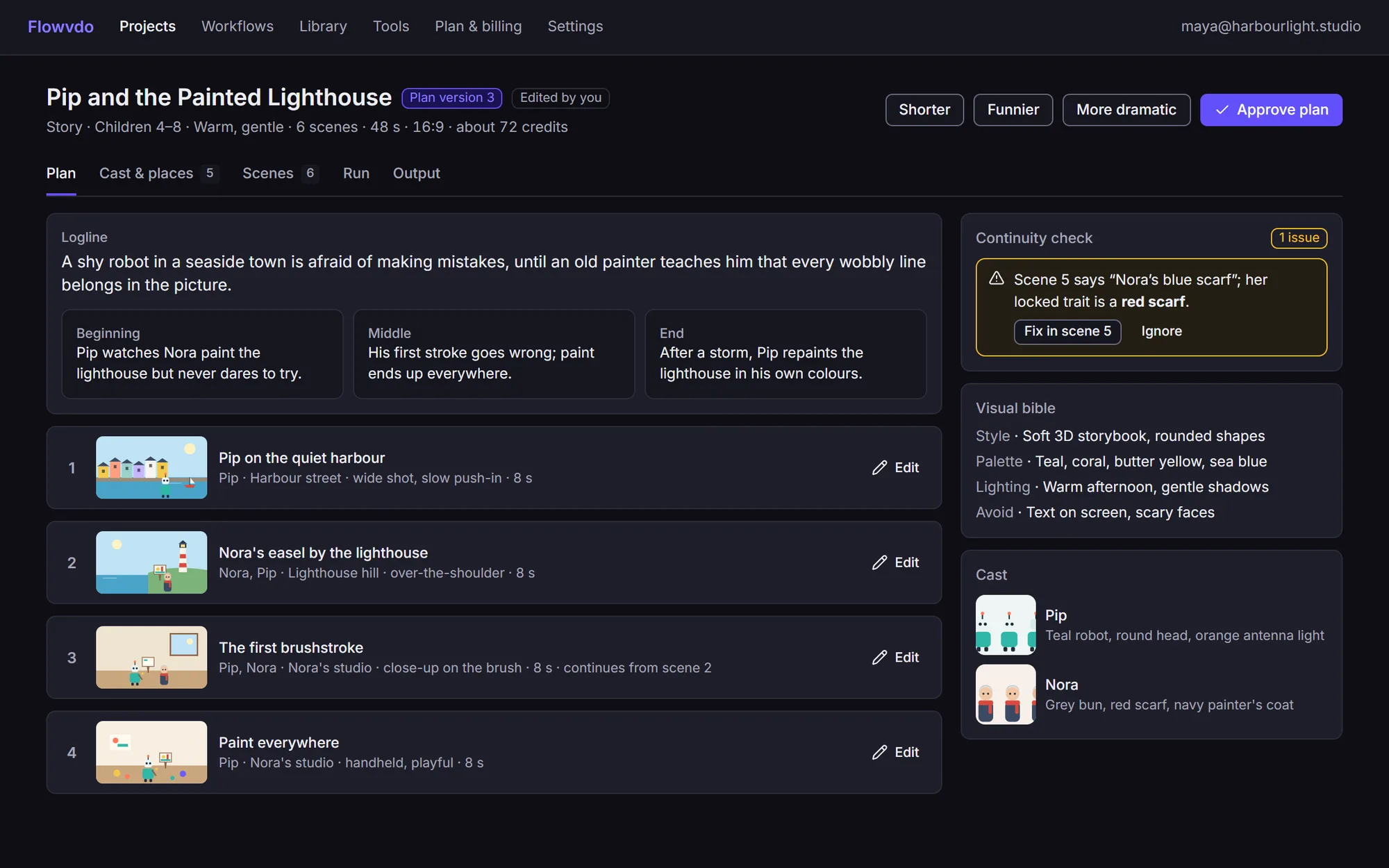
A plan you can edit
Four AI steps write the outline, the scenes, a Google Flow prompt for each scene and a continuity check. Refine it with one click, edit any scene, and approve the version you want.
AI story plannerThe same cast in every scene
Reference sheets for each character and an establishing shot for each place, attached to every scene they appear in.
Consistent charactersOne finished video
Every clip is saved to your folder and joined into one MP4 on your computer.
How joining worksFrom idea to video in four steps
- 01
Describe the idea
Audience, tone, style, language, length and aspect ratio, in the web app or the extension’s Create tab.
- 02
Approve the plan
Read the story, the cast and every scene. Change what you like. Approve plan locks that version.
- 03
Press Generate the video
A short checklist confirms the extension, your account and a signed-in Flow tab. The run starts with a credit budget.
- 04
Get one video
References first, then each scene in order, each clip saved as soon as it’s done, then the final video.
One idea in, one video out
This is the run Flowvdo does for you, scene by scene, in your own Google Flow account.
Built to spend your Flow credits carefully
A story can be many generations. Flowvdo treats every one of them as money.
- The credit estimate is shown before you start, and every run has a budget
- Before every generation, Flowvdo reads the cost Google Flow shows and pauses rather than go over
- One generation at a time, in its own Flow tab
- After a browser restart it finds finished clips instead of generating them again
- If Google asks you to verify or sign in, the run pauses and waits for you
Everything in the story pipeline
Four-step AI plan
Outline, scenes, a Google Flow prompt for every scene and a continuity check, each a separate AI step.
Refine with AI
Shorter, Longer, Funnier, More dramatic, Simpler dialogue, or your own instruction.
Plan versions
Every edit is saved as a version; approving one locks it for the run.
Reference sheets and establishing shots
A reference sheet for each character and an establishing shot for each place, generated in Flow and attached to every scene they appear in.
Locked traits and visual bible
Each character's locked traits and the story's style line are repeated in every video prompt.
Last-frame chaining
A scene can start from, or reference, the last frame of the scene before it.
Continuity check
AI flags outfit drift, missing references and time-of-day jumps; nothing changes until you apply a fix.
One finished video
Clips are joined into one MP4 on your computer: without re-encoding when they match, re-encoded when they don't.
Checked files and manifest
Every file is checked, given a SHA-256 checksum and listed in manifest.json.
Go deeper
The full story pipeline is in every plan. The Free plan gives you 1 active project, 2 runs a month, up to 4 scenes and 30 s per video; Creator and Storyteller raise those limits. Your Google Flow credits stay your own on every plan.
Compare plansQuestions, answered
How long can a story video be?
Do I need to write the prompts myself?
Which AI writes the story?
Does Flowvdo generate the video itself?
Can I make vertical videos for Shorts and Reels?
What if one scene comes out wrong?
Turn your next idea into a finished video
Start on the Free plan and make one short story from idea to final MP4.
Flowvdo uses your own Google Flow account and credits, and your own AI provider key. Not affiliated with Google.