Your keys and your videos stay on your computer.
Flowvdo keeps what is sensitive in your browser and only what it needs in your account. Here is exactly what goes where, what the extension can do, and how to report a problem.
Four places, clearly separated
Your account stores your projects so they work from any device. Your keys and files never go there.
Your computer
- AI provider keys (encrypted)
- Library pictures
- Every clip, reference and final video
- Your output folder
Your Flowvdo account
- Email and password hash
- Briefs, plans, batches, workflows and prompts
- Run progress and error codes
- File names, sizes and checksums
Your AI provider
- Planning text and prompts, sent directly from the extension with your key
- Never your Flowvdo password
Your Google Flow
- Prompts, references and generations, in your own account and project
- Flowvdo never reads your Google cookies or tokens
AI keys you control
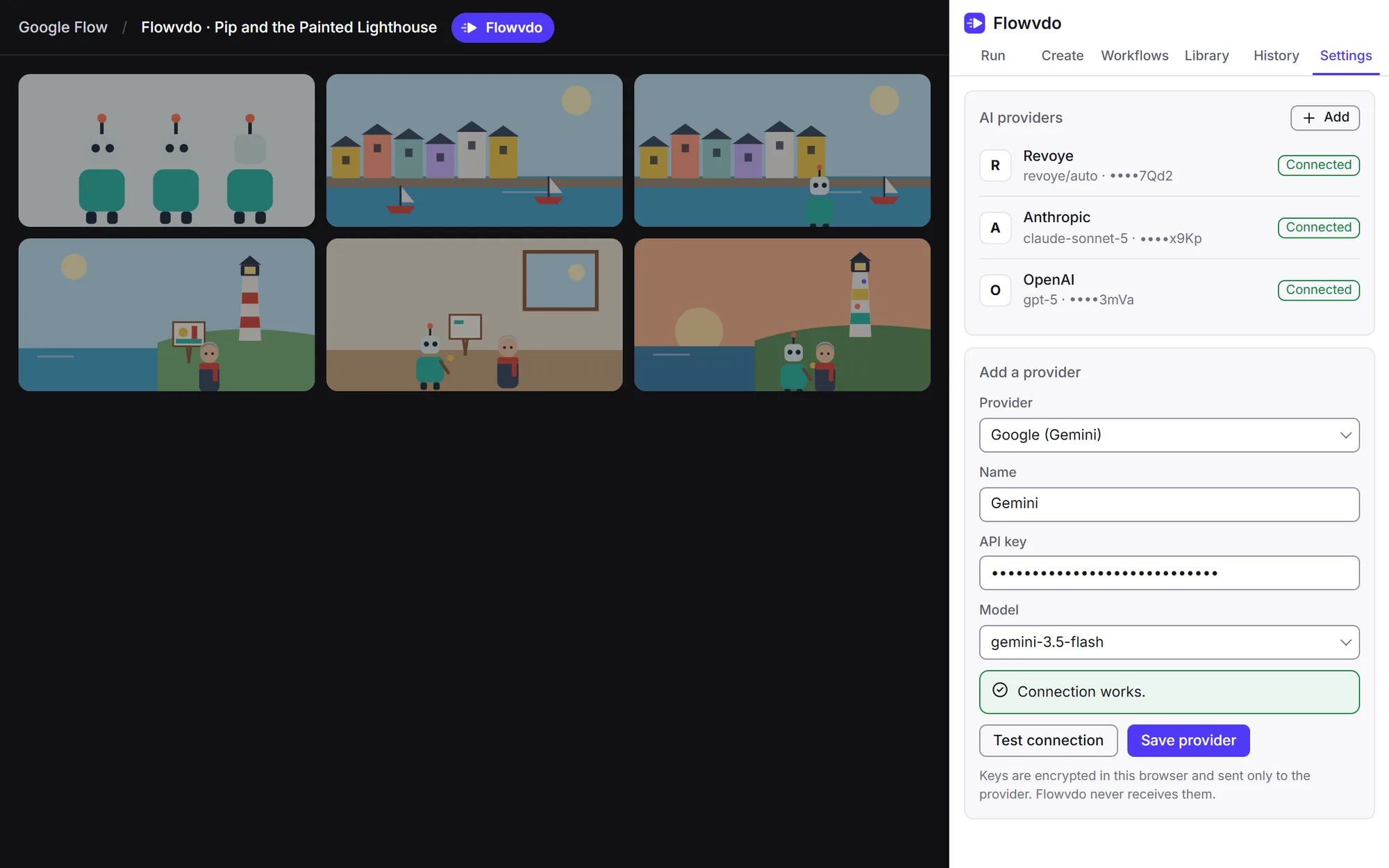
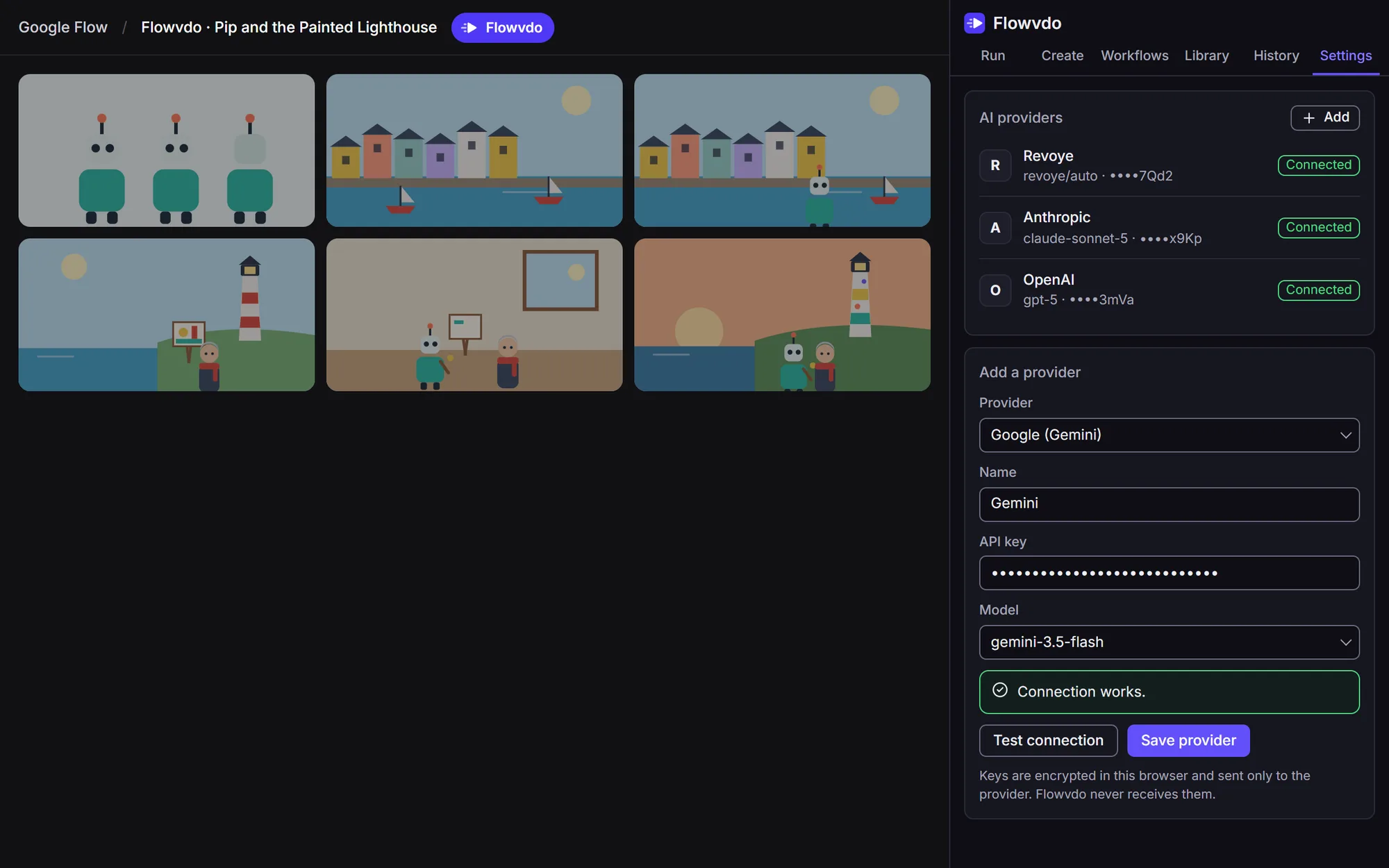
Encrypted in the extension, used only by its background worker
Keys are stored in the extension’s own storage, encrypted with AES-256-GCM under a key your browser generates and cannot export. Only the background worker decrypts one, only for the request it is making, and sends it straight to your provider. The settings show the last few characters, never the key.
- No key column exists in Flowvdo’s database
- Never in messages to web pages, logs or error reports
- Not synced through your Google account; deleted when you uninstall
What browser storage can and can’t protect
Encryption at rest protects your keys from a casual copy of your profile. It cannot protect them from malware running as you, or from another extension with debugger access to your browser. Keep your computer and extensions clean, and use keys with spending limits where your provider offers them.
Every permission, and why
| Permission | Why Flowvdo needs it |
|---|---|
| storage, unlimitedStorage | Keep your account pairing and run progress across restarts; hold clips while they are joined |
| sidePanel | Show Flowvdo next to Google Flow |
| alarms | A 30-second heartbeat while a run is active, so it resumes after a restart |
| downloads | Save files to Downloads/Flowvdo/ when you haven’t chosen a folder |
| offscreen | Join clips and take last frames while the side panel is closed |
| notifications | Tell you when a video is ready or a run needs you |
| contextMenus | The right-click items Add image to Flowvdo library and Describe image as a prompt; the picture’s site is asked for per click |
| debugger | Send one real click to Flow’s Generate button in Automatic mode, only on the Flow tab of your run, then detach |
| Google Flow sites | Operate Flow for your run and download what you generated |
| Flowvdo API | Read your plan and report progress to your account |
| AI provider sites | Send planning text to the provider you chose, with your key |
Not requested: tabs, scripting, cookies, web requests or access to all websites. A custom AI endpoint, or a picture you right-click, asks for that one address only. The extension runs no remotely hosted code; Flow page updates arrive as signed data.
How Flowvdo treats your Google account
- Uses only Flow’s visible interface, in a tab it opened for your run
- Never reads your Google cookies or tokens, never calls Flow’s private endpoints
- Never interacts with verification challenges; the run pauses for you
- Reads the credit cost before every generation and stays within your budget
Account security
Strong password handling
Passwords are hashed with Argon2id and checked against known breached passwords; sign-in errors don’t reveal whether an email exists.
One-click pairing
Connect the extension to your account in one click; revoke it any time in Settings.
Sessions
Secure, HttpOnly session cookies with CSRF protection and rate limits on sign-in.
Scoped extension access
The extension’s tokens can only run your tasks: no billing or account changes. They rotate, and reuse is detected.
Deleted means deleted
Deleted projects are removed for good after 30 days.
Health check before every run
Flowvdo checks that it can find every control it needs in Flow before spending a credit; updates are signed data, never code.
Found a problem? Tell us.
Please report vulnerabilities privately through our contact page and mention “security” in the subject. Include steps to reproduce. We will acknowledge your report and keep you updated while we fix it. Our security.txt is at /.well-known/security.txt.
Questions, answered
Does Flowvdo see my prompts?
Does Flowvdo see my videos?
Can I delete my data?
Does Flowvdo hold SOC 2 or ISO 27001?
Make your first story video
The Free plan makes one short video from start to finish, so you can see the whole pipeline before you pay.
Flowvdo uses your own Google Flow account and credits, and your own AI provider key. Not affiliated with Google.