Turn a story idea into a finished Google Flow video.
Flowvdo plans your story, characters and scenes with your own AI key, generates every scene in your own Google Flow account with the same characters, and joins the clips into one video on your computer.
Free plan: one short video, start to finish. Uses your own Google Flow credits and AI key.
- One finished MP4
- Cost checked before every generation
- Up to 300 prompts per batch
- Keys stay in your browser
Works with
Idea in, one finished video out
Google Flow makes great clips of a few seconds. A story needs a plan, the same characters in every scene, and the clips joined in order. Flowvdo does all three.
Planned for you, owned by you
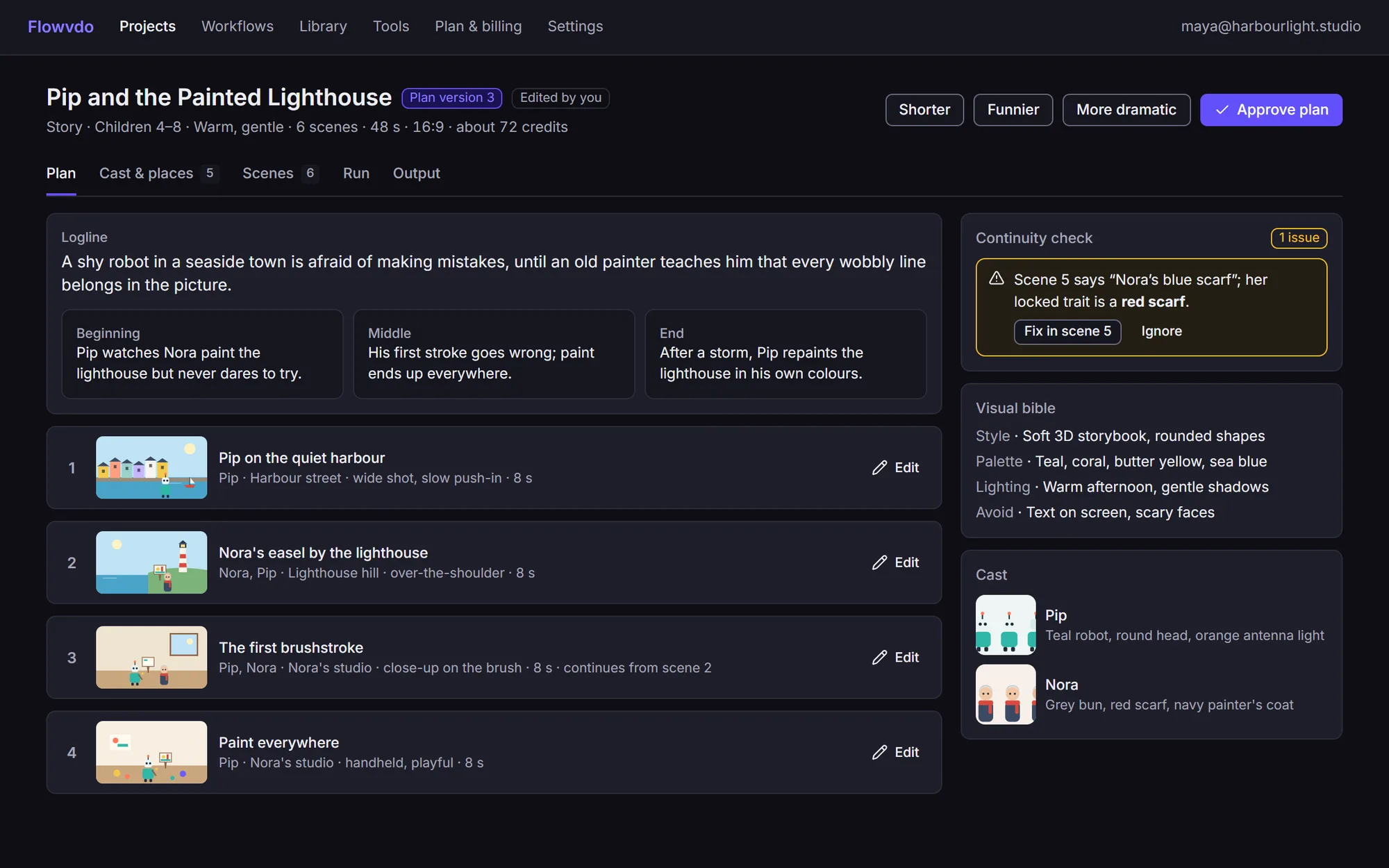
Four AI steps write the outline, cast, places, every scene and its Google Flow prompt, then check continuity. Refine it with one click, edit anything, approve the version you want.
AI story planner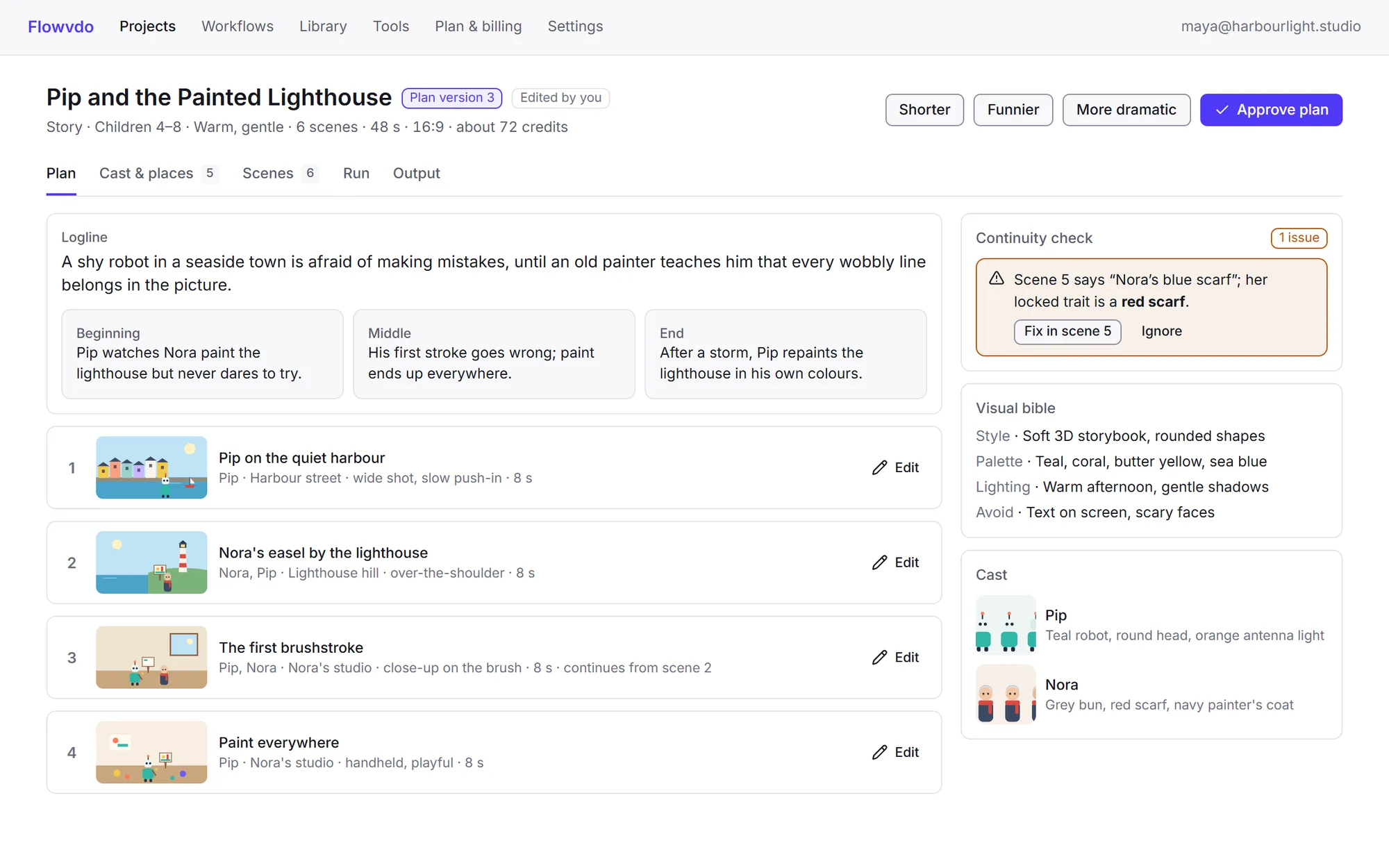
Consistent by design
Reference sheets, locked traits and last-frame chaining keep the same faces and places.
Consistent charactersFinished, not fragments
Every clip saved as it finishes and joined in order into one MP4.
One finished videoWatch one idea become a video
Every step below happens in your own Google Flow account and on your own computer.
Automation that treats credits like money
Every generation in Flow costs credits. Flowvdo checks before it spends, and stops when it should.
A budget on every run
See the estimate before you start. Before each generation Flowvdo reads the cost Google Flow shows and pauses rather than go over.
Safe runsPauses that explain themselves
Verification, sign-out, no credits, a daily limit: the run stops, says why, and waits for you. It never touches Google’s checks.
How pauses workNever paid twice
After a restart it finds finished clips instead of generating them again.
One at a time
One generation at a time, at least 5 seconds apart, in its own Flow tab.
Checked settings
Model, ratio and length are read back before anything is submitted.
A tour of Flowvdo
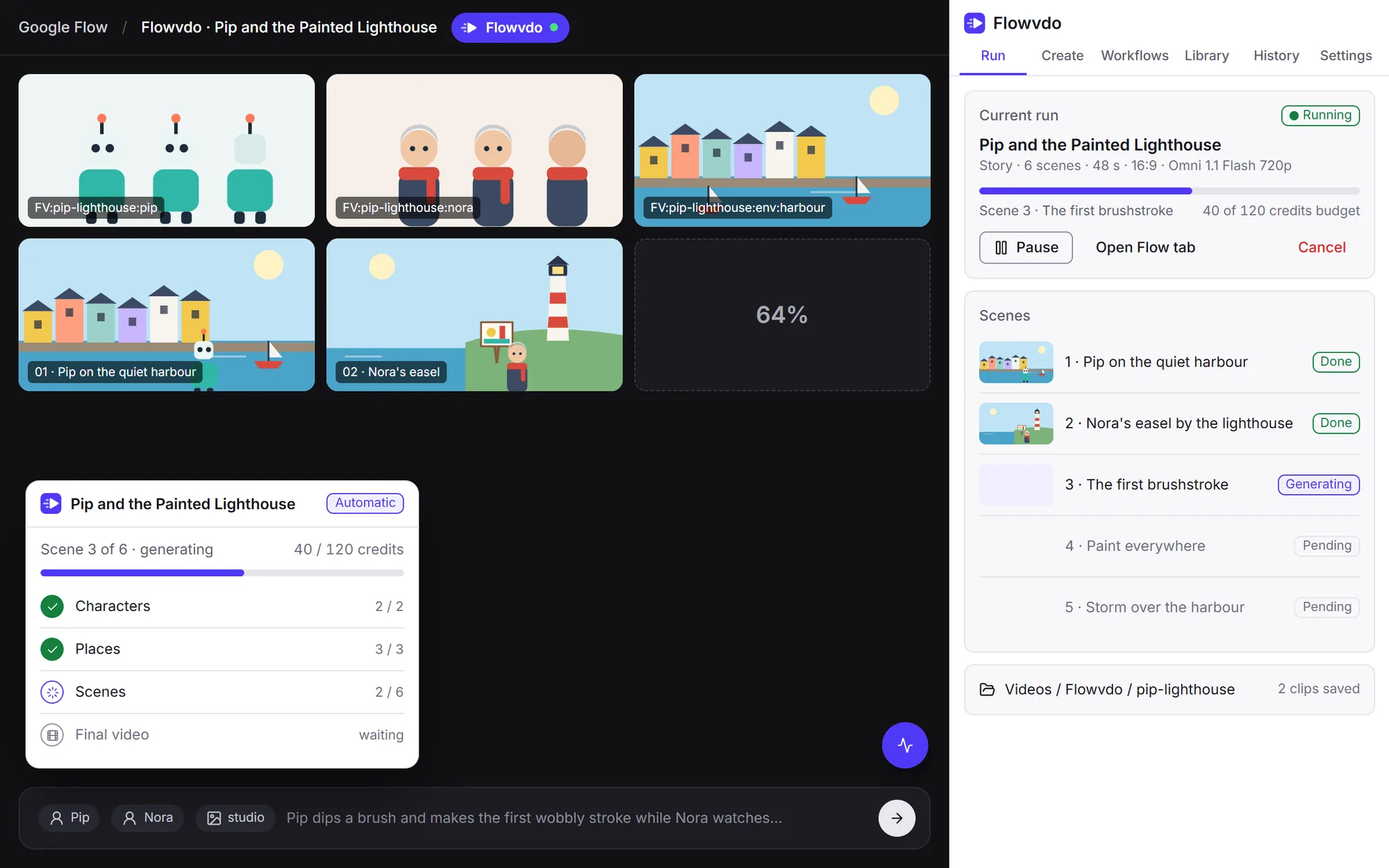
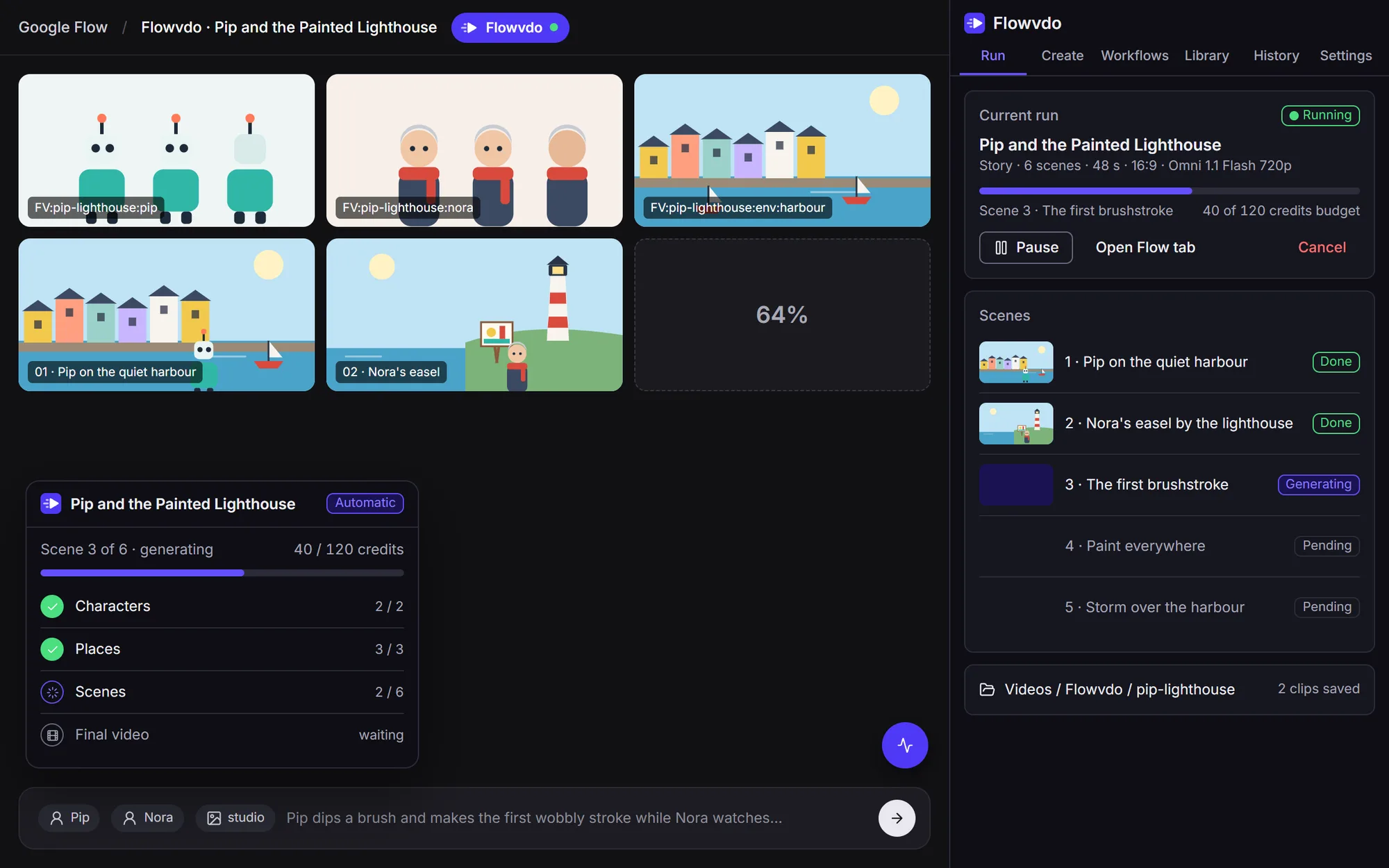
One live state across the extension, the tracker inside Flow and the web app.
Plan the whole story first
Logline, beginning, middle and end, a cast with locked traits, places, and every scene with its Flow prompt. Edit, refine and approve.
Explore story planner →Characters that stay themselves
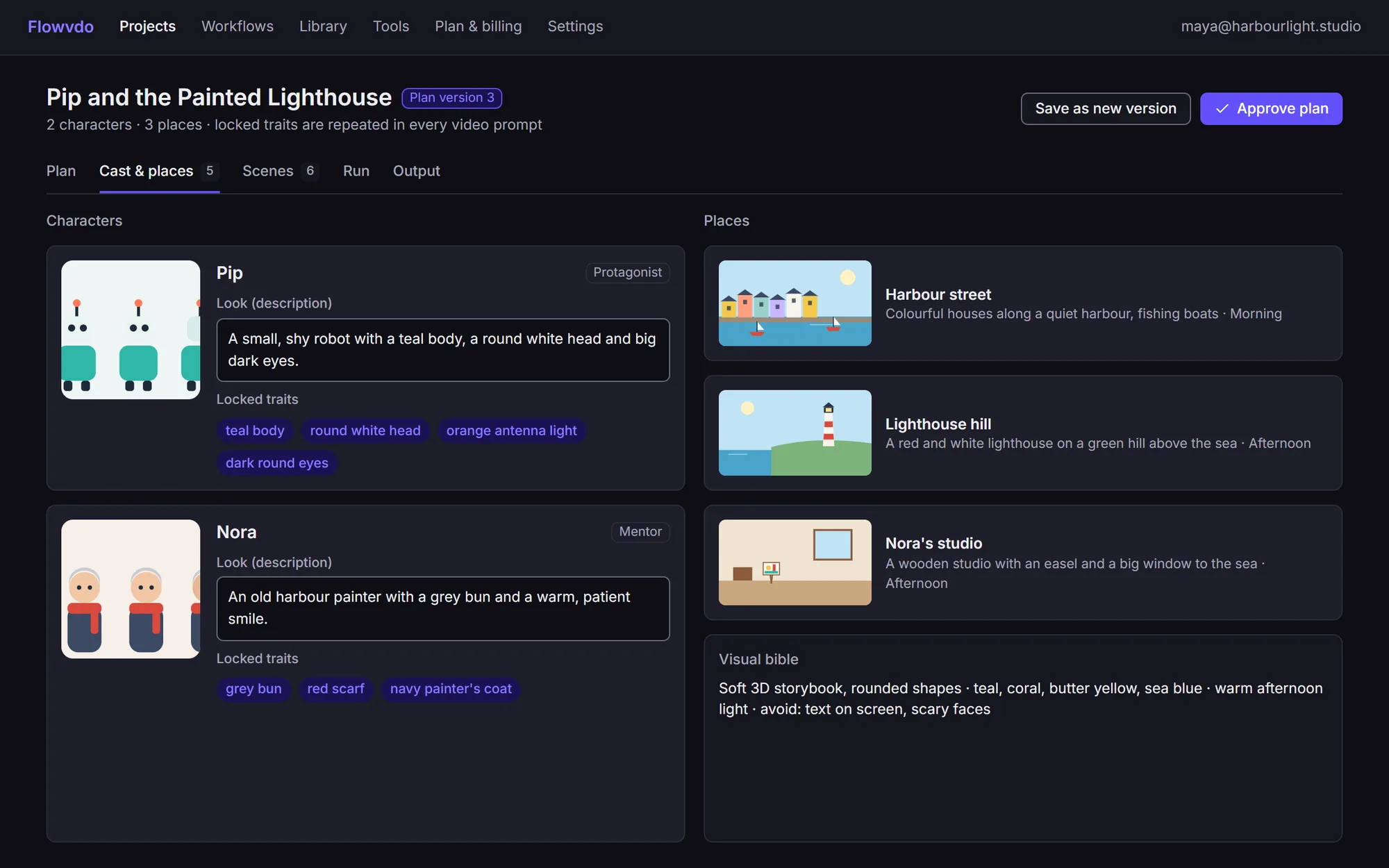
Each character gets a look and locked traits; each place a description and time of day. Reference images are made from them in Flow.
Explore cast & places →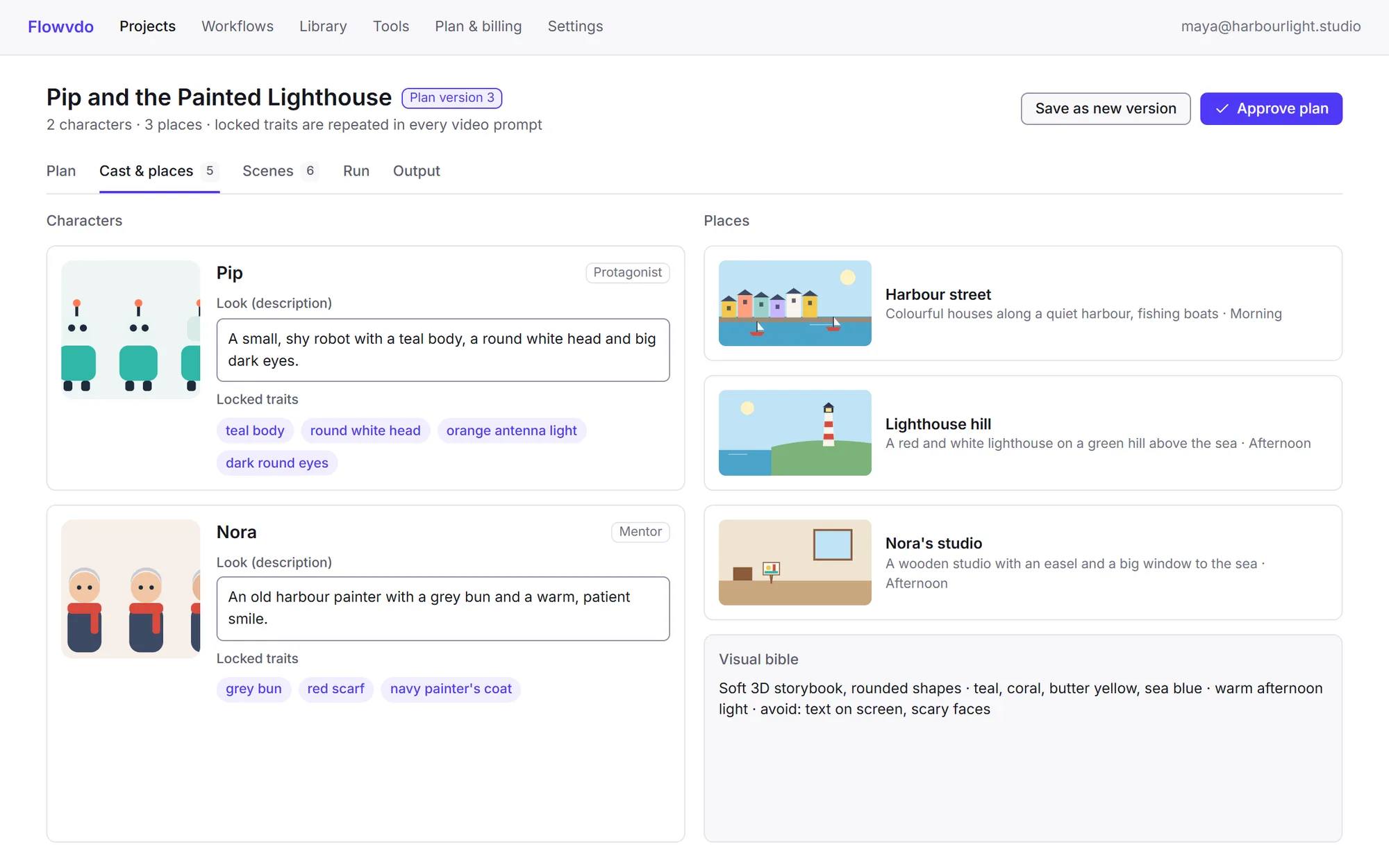
Watch it run in Google Flow
A Flowvdo button and live tracker inside Flow; the same progress in the side panel and the web app. Pause, resume, retry or skip any step.
Explore run in flow →Hundreds of prompts, one safe run
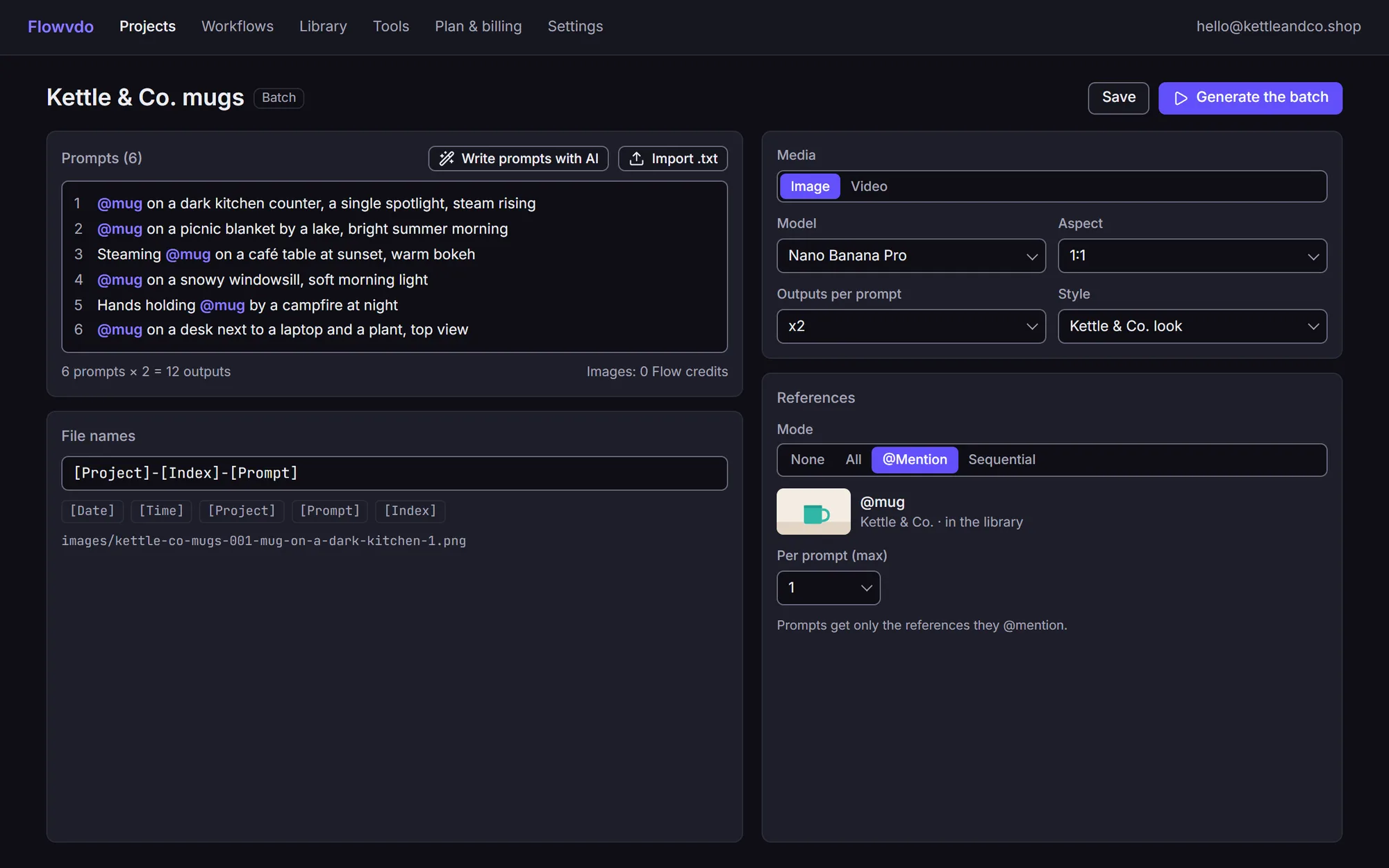
Up to 300 prompts, reference modes and @mentions, styles, file names you choose, and reruns of only what failed.
Explore batches →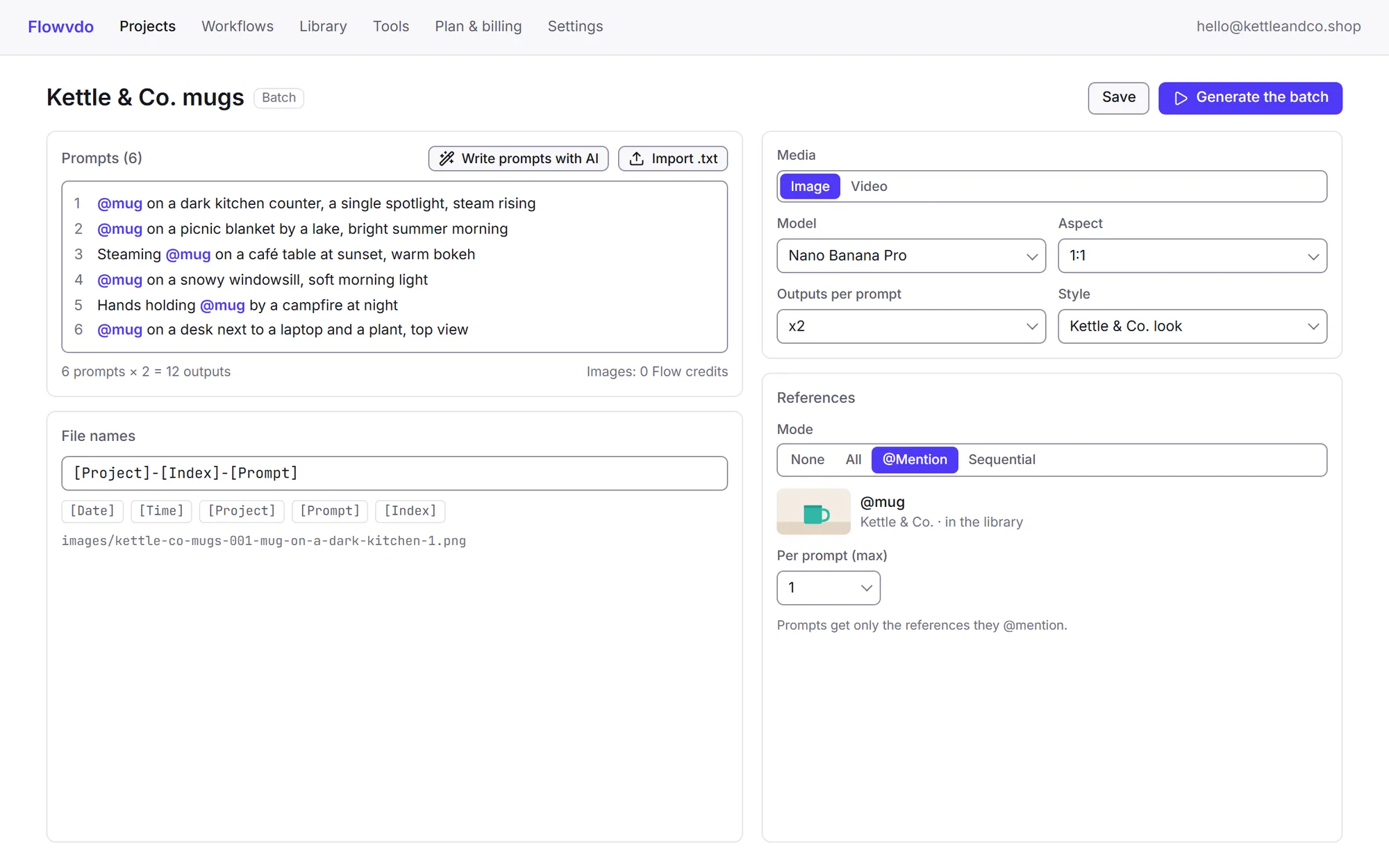
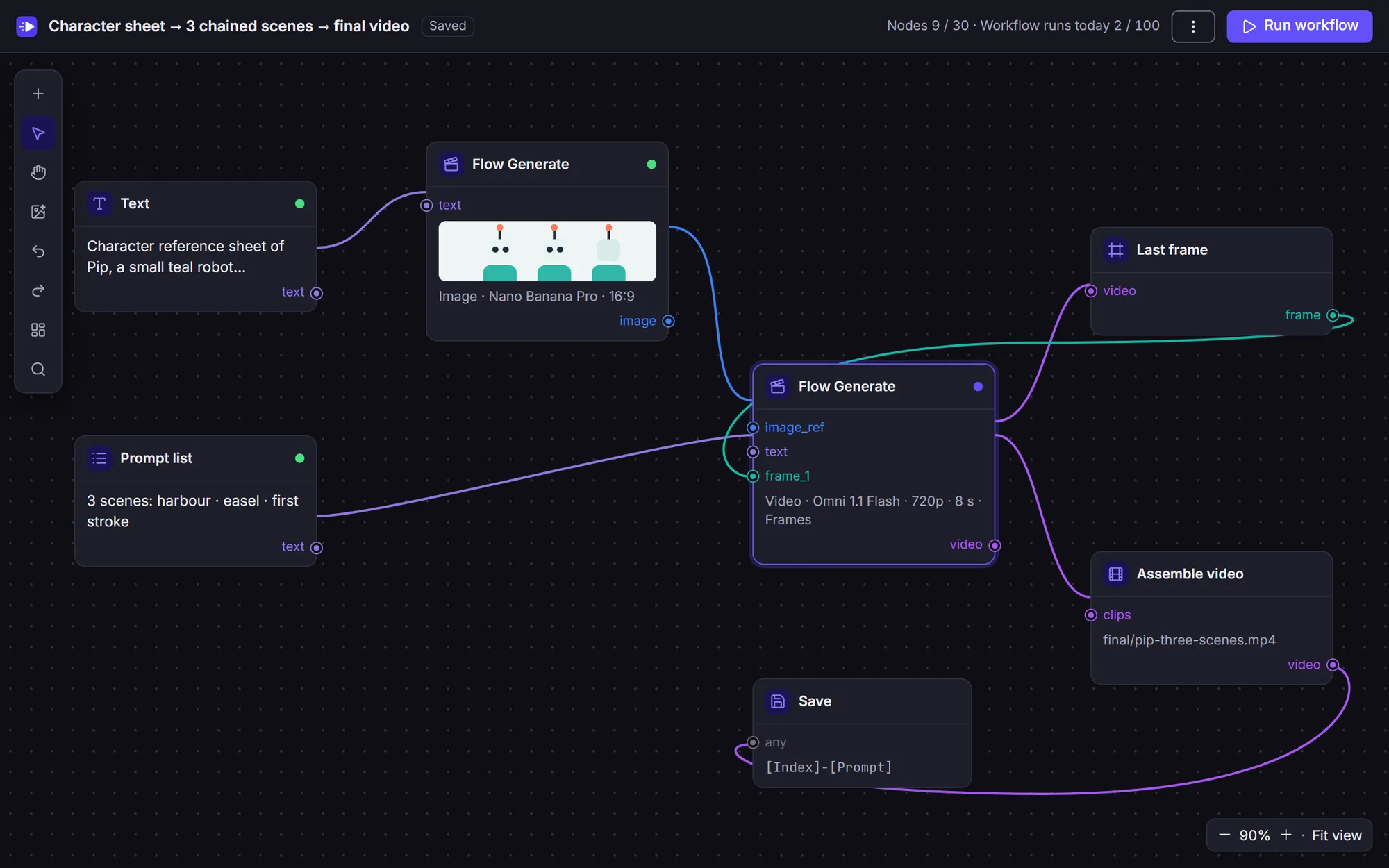
Pipelines you can repeat
A node editor for AI steps, Flow generations, last frames and assembly, running on the same safe engine.
Explore workflows →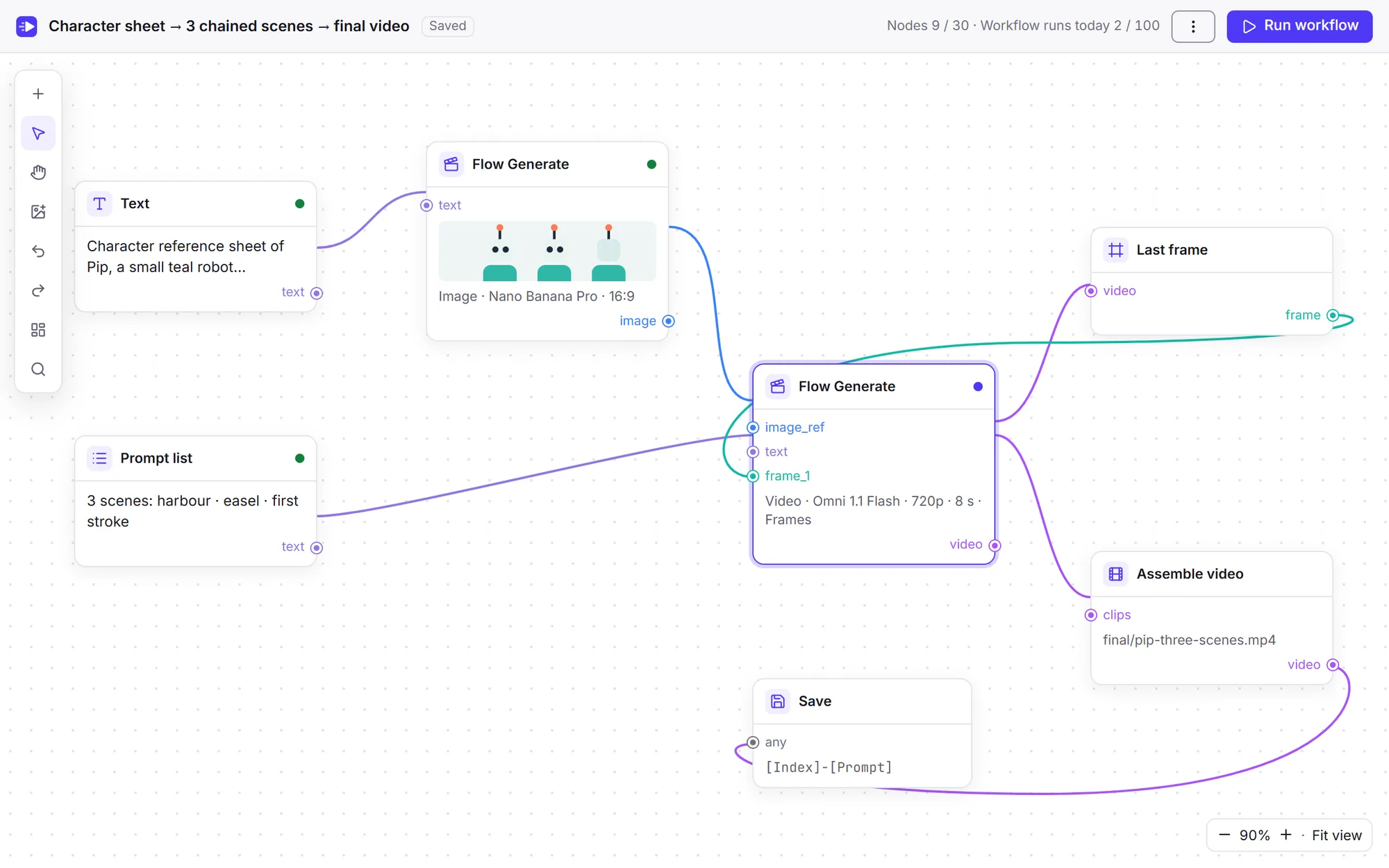
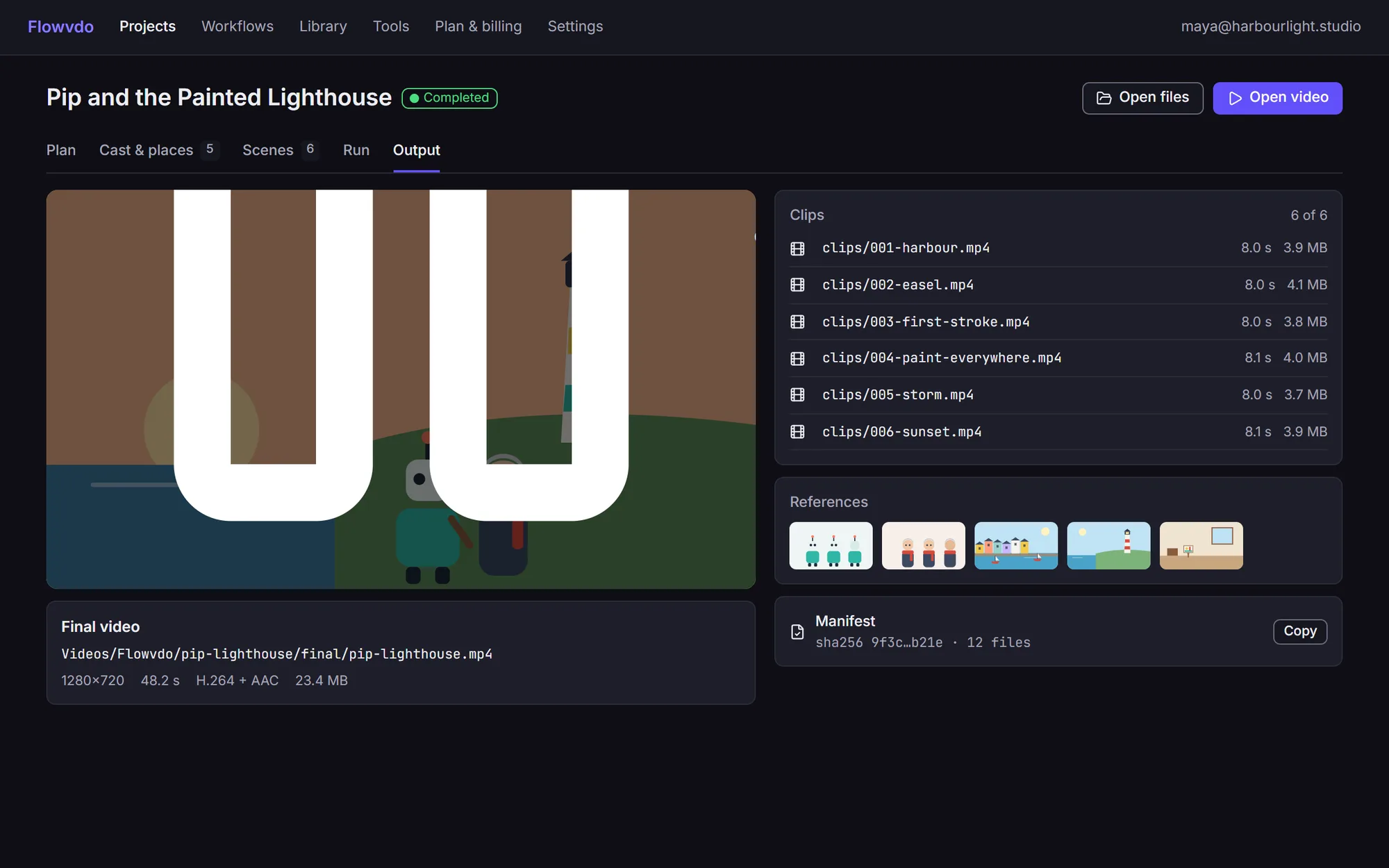
Everything in your folder
References, every clip, the final video and a manifest with checksums, on your computer.
Explore output →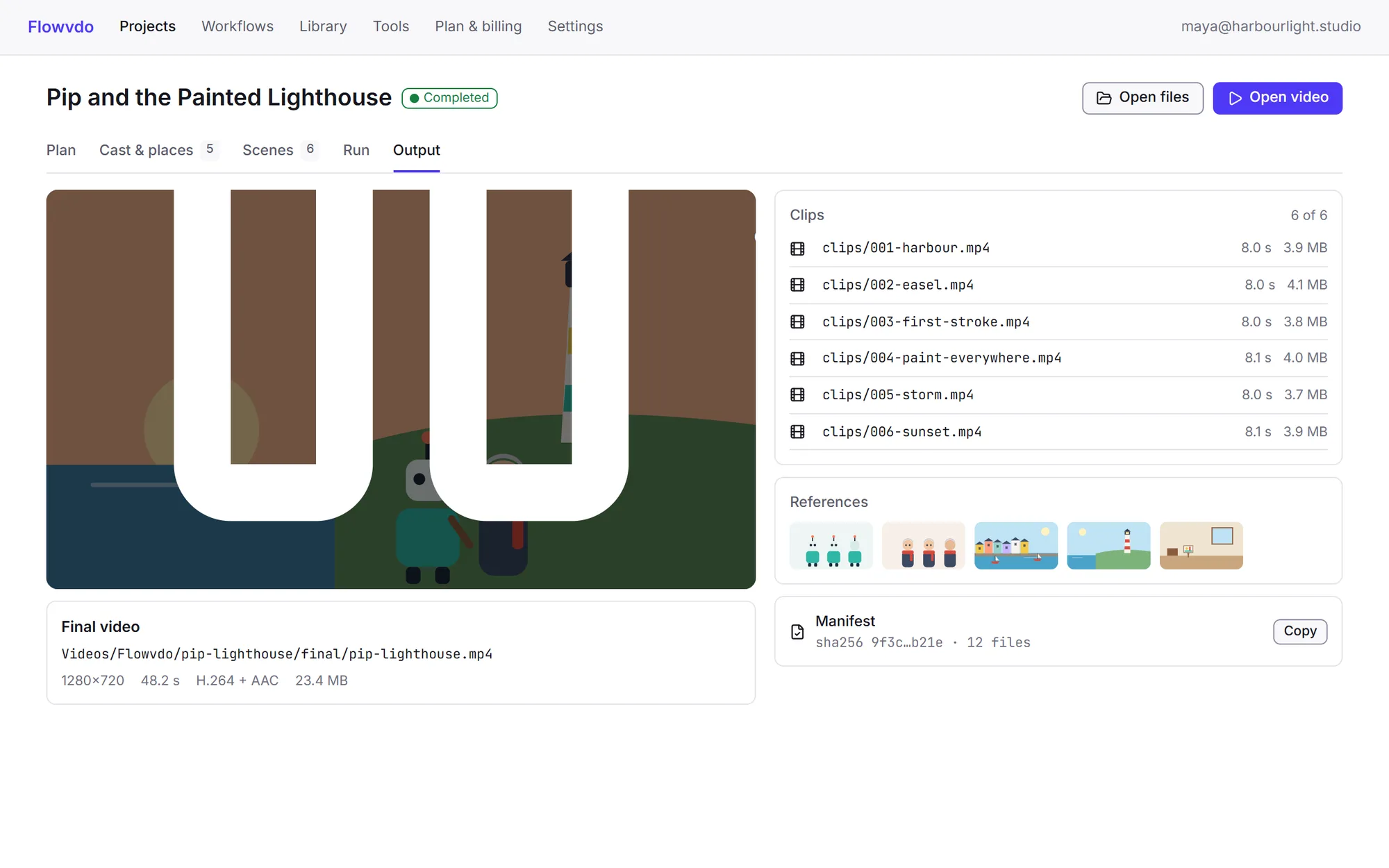
It works where Flow works
A Flowvdo button next to your project title, a live tracker on the page, and a side panel next to Flow. Flowvdo uses Flow’s visible interface only, in its own tab, one generation at a time, and pauses whenever Google asks you to check something.
The Google Flow extension- Automatic or Manual submit: you choose who presses Generate
- Alt+S opens the side panel, Alt+G starts or resumes the run
- A desktop notification when your video is ready or needs you
Plan with the AI provider you already use
Connect your own key in the extension. It is encrypted in your browser and never sent to Flowvdo.
Your Flow, your key, your files
Many story-video websites resell generations on their own credits. Flowvdo works the other way round: your own Google Flow account and credits, your own AI key, and every file saved on your own computer. Flowvdo charges for its service, not per generation.
- No Flow credits to buy from us: use the ones in your Google account
- No AI fees from us: pay your AI provider directly
- No videos uploaded to us: clips go from Flow to your folder
- Every clip kept next to the final video, ready for your editor
Made for people who finish videos
Start free. Grow when you need more.
Every plan has every feature. Plans differ in how many videos you make and how long they are.
Free
$0 forever
One real short video to try Flowvdo end to end. 1 active project, 2 runs a month, up to 4 scenes and 30 s per video.
Start freeCreator
$4.98 / month
Regular story videos with consistent characters. 5 active projects, 30 runs a month, up to 20 scenes and 3 min per video.
See CreatorStoryteller
Recommended$7.48 / month
Longer videos, more of them, and priority support. Unlimited active projects, unlimited runs a month, up to unlimited scenes and unlimited length per video.
See StorytellerQuestions, answered
What do I need to use Flowvdo?
Does Flowvdo make the video itself?
What does a video cost in Flow credits?
How long can a video be?
Is my AI key safe?
Is automating Google Flow allowed?
Can I make vertical videos?
Does Flowvdo publish to YouTube or add music?
Your next story, finished
Write one idea and get one video. Start on the Free plan; upgrade only when you want more.
Flowvdo uses your own Google Flow account and credits, and your own AI provider key. Not affiliated with Google.